Beyond the Chatbot: Why MachinaOS at machinaos.ai is the Operating Layer Developers Didn't Know They Needed
An Editorial Deep Dive for ai-radar.tech and pardon me the self promotion
We’ve all seen the standard AI pitch: a chatbot awkwardly stapled to a dashboard, hallucinating system actions and masking its confusion behind "AI theater". Enter MachinaOS (available at machinaos.ai), an architecture that refuses to play that game.
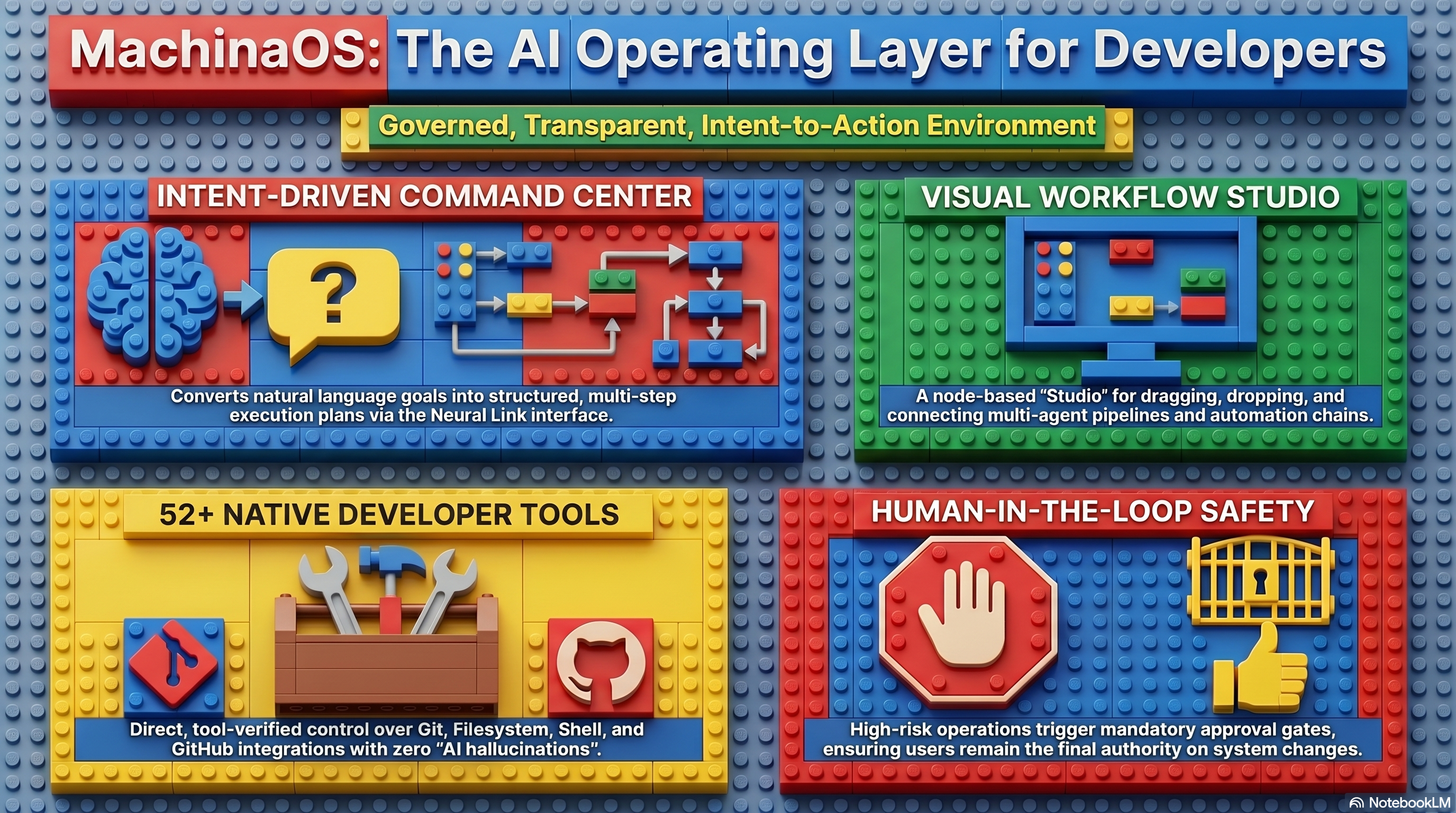
MachinaOS is not a desktop replacement, nor is it a simple terminal wrapper. It is a local-first, intent-driven operating layer designed specifically for developer and technical workflows. It acts as a semantic layer above your host operating system, transforming natural language goals into strictly governed, visually inspectable, tool-executed system actions.
Today at AI-Radar, we are diving deep into the anatomy of MachinaOS at machinaos.ai. We’ll explore its visual orchestration, its Model Context Protocol (MCP) integration, the Neural Link interface, the sprawling multi-agent ecosystem, LLM optionality, and its deployment form factors.
But first, we need to address a rumor.
The "Stateless" Myth: Why Memory Matters
You might have heard whispers about the "stateless nature" of this app. Let us stop you right there: Machina OS is deliberately and proudly not stateless.
If a system forgets what you were doing the moment you refresh the page, it is a goldfish with a dashboard, not an operating system. The MachinaOS architecture is built on a persistent, SQLite-backed foundation that remembers tasks, workflows, agent reputations, and project context.
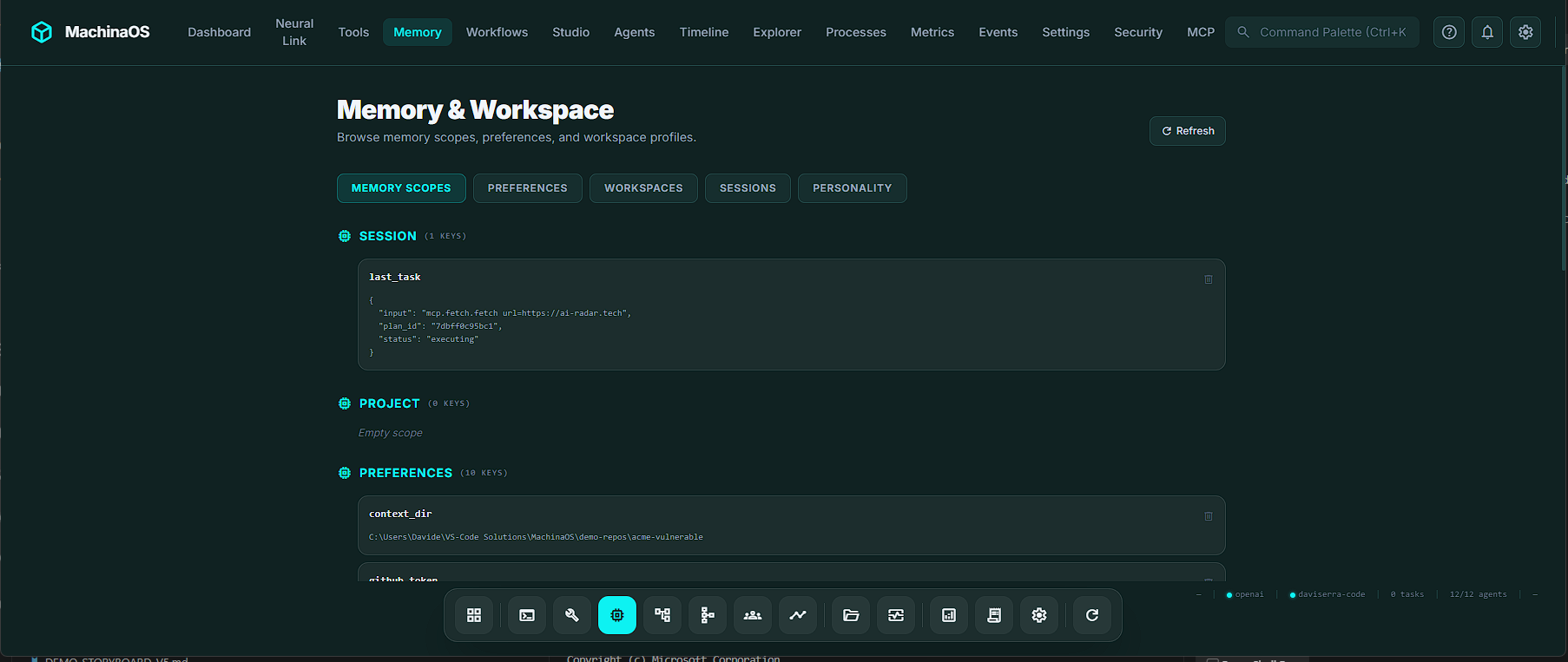
The system utilizes distinct, isolated memory scopes to ensure continuity:
Session Memory: Ephemeral context for your current active interaction.Project/Workspace Memory: Persistent knowledge attached to a specific repository. When you open a codebase, the system automatically indexes it, remembering frameworks, key files, and languages without burning LLM tokens.Agent Memory: Each agent maintains its own isolated database of capabilities, success rates, and reputation scores.
When you ask MachinaOS about a previous security scan, it doesn't blindly guess; it queries the project-scoped memory and retrieves exact file paths and vulnerabilities from yesterday's work. The memory belongs to the system, not the conversation.
Neural Link: Talking to Your OS
The primary conversational interface of MachinaOS is the Neural Link. While it accepts natural language, it is fundamentally a command and intent interpreter.
To prevent the LLM from slowing down deterministic tasks, the Neural Link utilizes a heuristic-first intake parser. If you type list . or read pyproject.toml, the system bypasses the LLM entirely, recognizing the command and executing it in milliseconds.
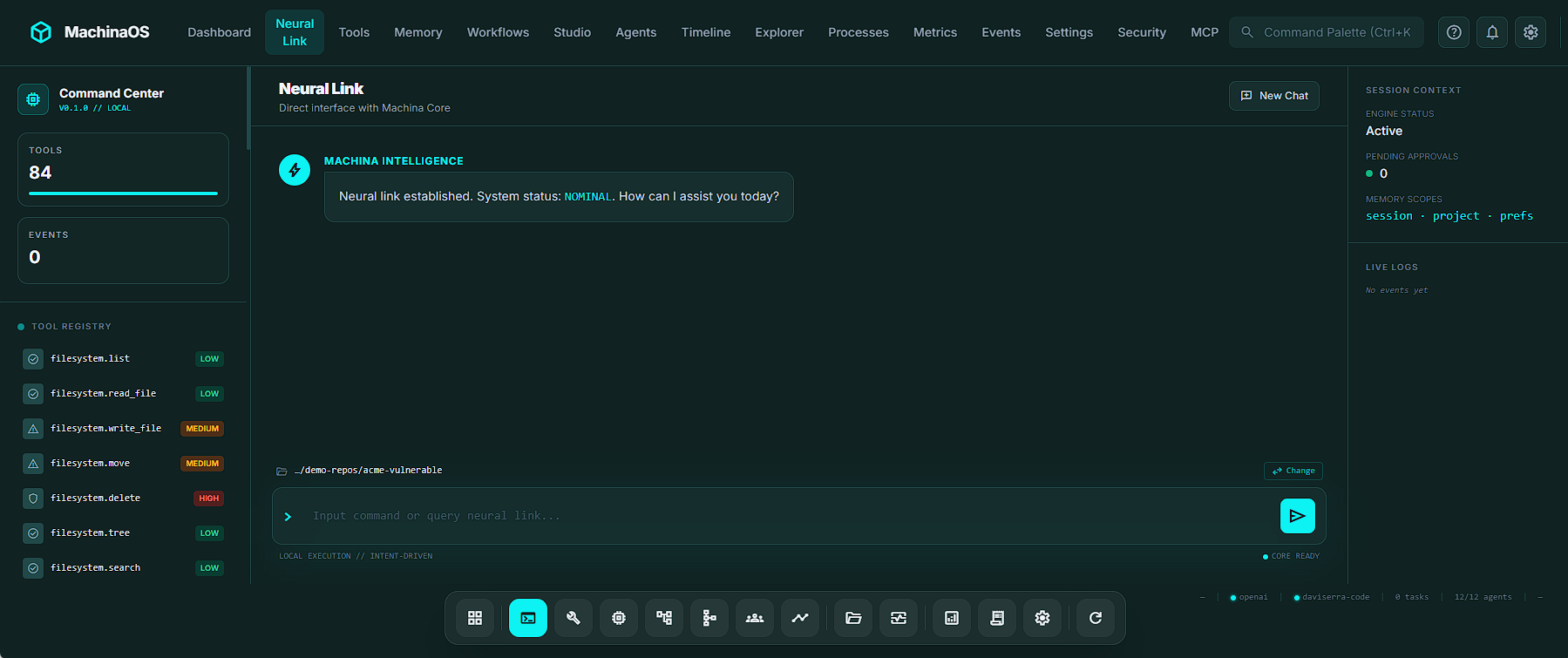
When you do use natural language, the Neural Link shines with developer-centric UX enhancements:
Smart Typeahead: Typing git drops down a menu of 50+ tool suggestions. You can arrow down to a suggestion, hit Enter, and the command executes instantly in a single keystroke (pick-and-send).Natural-Language Git Routing: Machina translates plain English into strict tool calls. Typing "what changed recently" automatically routes to git.diff, while "show recent commits" routes seamlessly to git.log.
The Neural Link ensures that intents are normalized into a "Plan." The LLM may reason and propose, but the system relies on a "Tool-Verified Reality". The model is never allowed to pretend it did something; if a file was written, the filesystem.write_file tool must return a success code.
The Agent Ecosystem: A Digital Workforce
MachinaOS shifts away from a single monolithic AI brain and instead deploys a coordinated fleet of specialized agents. Out of the box, the system ships with 6 built-in agents (filesystem, git, shell, system, browser, and mcp).
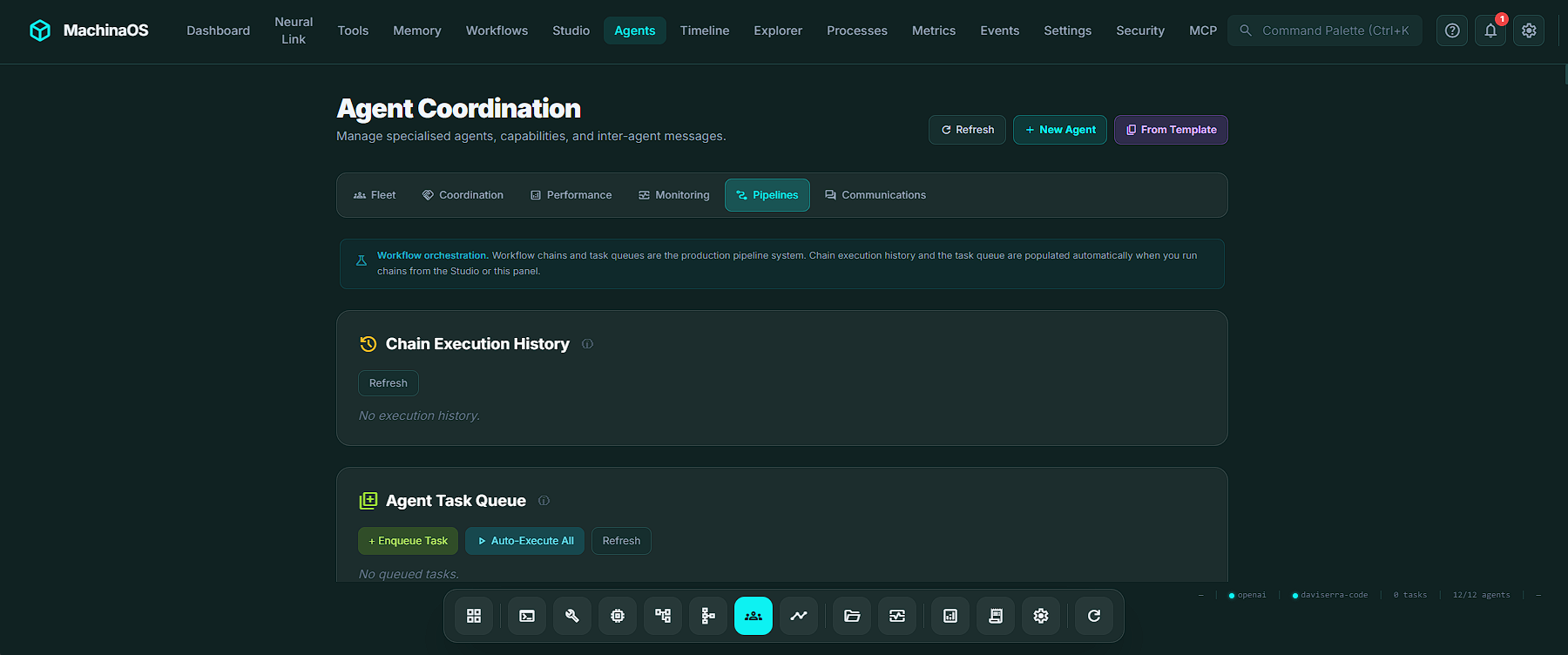
However, users can instantiate custom agents from 21 Agent Blueprint Templates, ranging from security-auditor and devops to db-optimizer and changelog-writer.
What makes this ecosystem fascinating is that agents don't just blindly execute tasks; they coordinate using an intricate AgentBus. They operate like a highly functional corporate team (minus the unnecessary meetings).
Here is how these agents interact:
| Communication Channel | How it Works | Real-World Use Case |
|---|---|---|
| Negotiation | Agents bid on tool ownership. If multiple agents can run shell.run, they propose and counter-propose based on their historical confidence scores. |
The security-auditor and refactorer both want to fix a bug; the system auto-resolves based on who has the better track record. |
| Consensus | Multiple agents vote on a critical decision (e.g., pushing to production). Votes carry weight based on the agent's capability confidence. | The git, filesystem, and system agents vote using a MAJORITY strategy to ensure a commit is safe. |
| Handoffs | Formal transfer of a task with preconditions. If an agent degrades, the system triggers an "auto-heal" handoff to a healthy alternative. | The shell agent fails, so the system hands the deployment script to a backup shell agent. |
| Broadcast Queries | One agent polls the entire fleet with a question and aggregates the answers using strategies like MERGE or MAJORITY. |
The orchestrator broadcasts: "Who can perform a security audit?" and collects responses. |
| Collaborations | Agents join a shared session, reading and writing to a common context dictionary. | A filesystem agent scans files and shares the context with a git agent for deeper history analysis. |
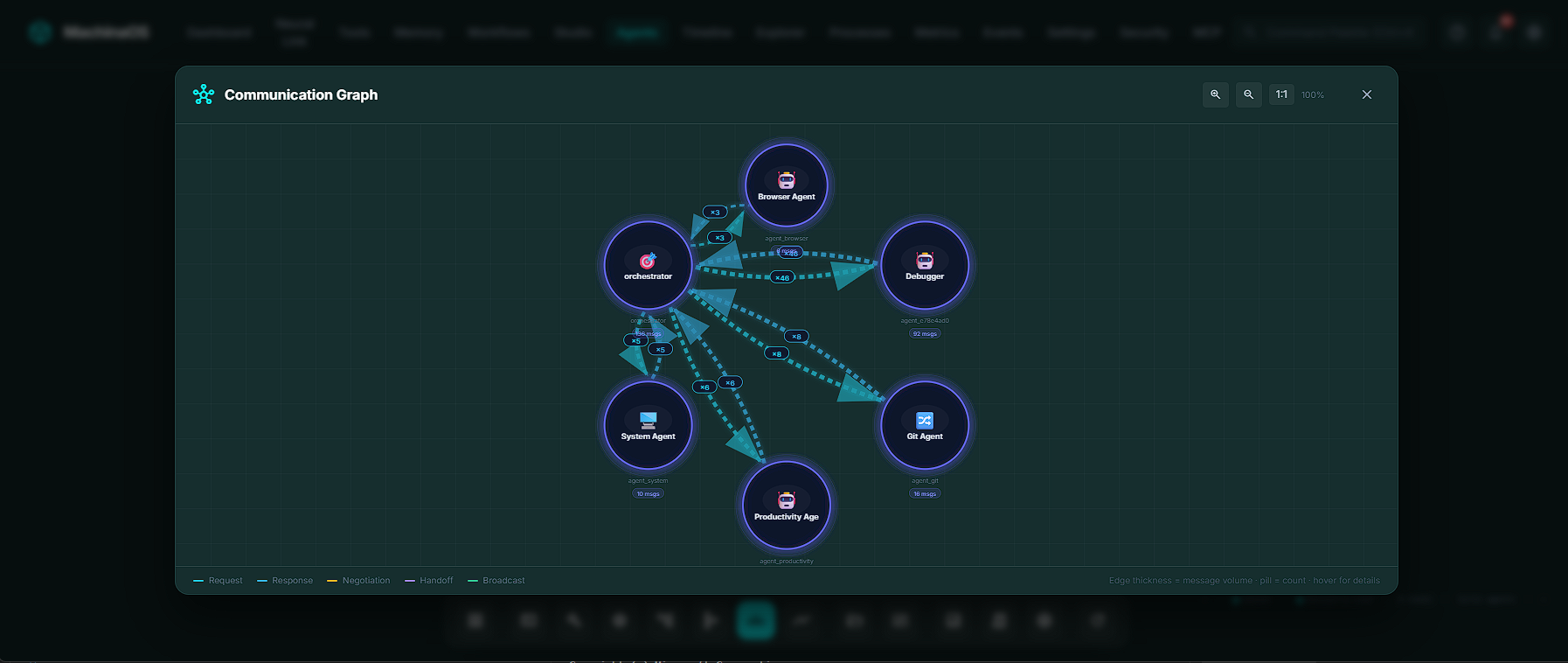
The system even tracks an Agent Reputation score, which updates dynamically based on the success and failure of executed tools. Over time, the agents learn your codebase, and the most reliable agents rise to the top of the routing queue.
Workflow Studio: Orchestrating the Chaos
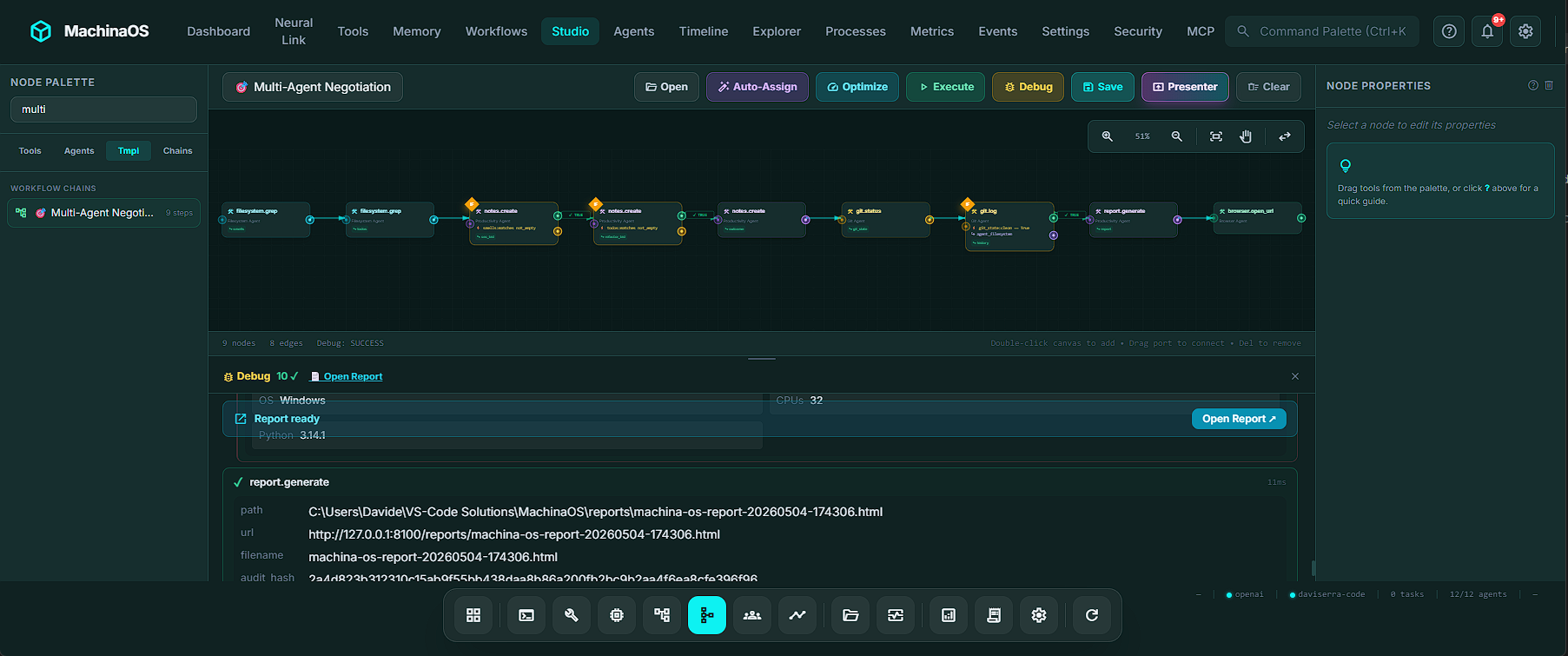
If the agent fleet is the workforce, the Workflow Studio is the factory floor. Accessed via Ctrl+6, the Studio is a visual, node-based workflow composer that allows you to drag and drop multi-agent pipelines.
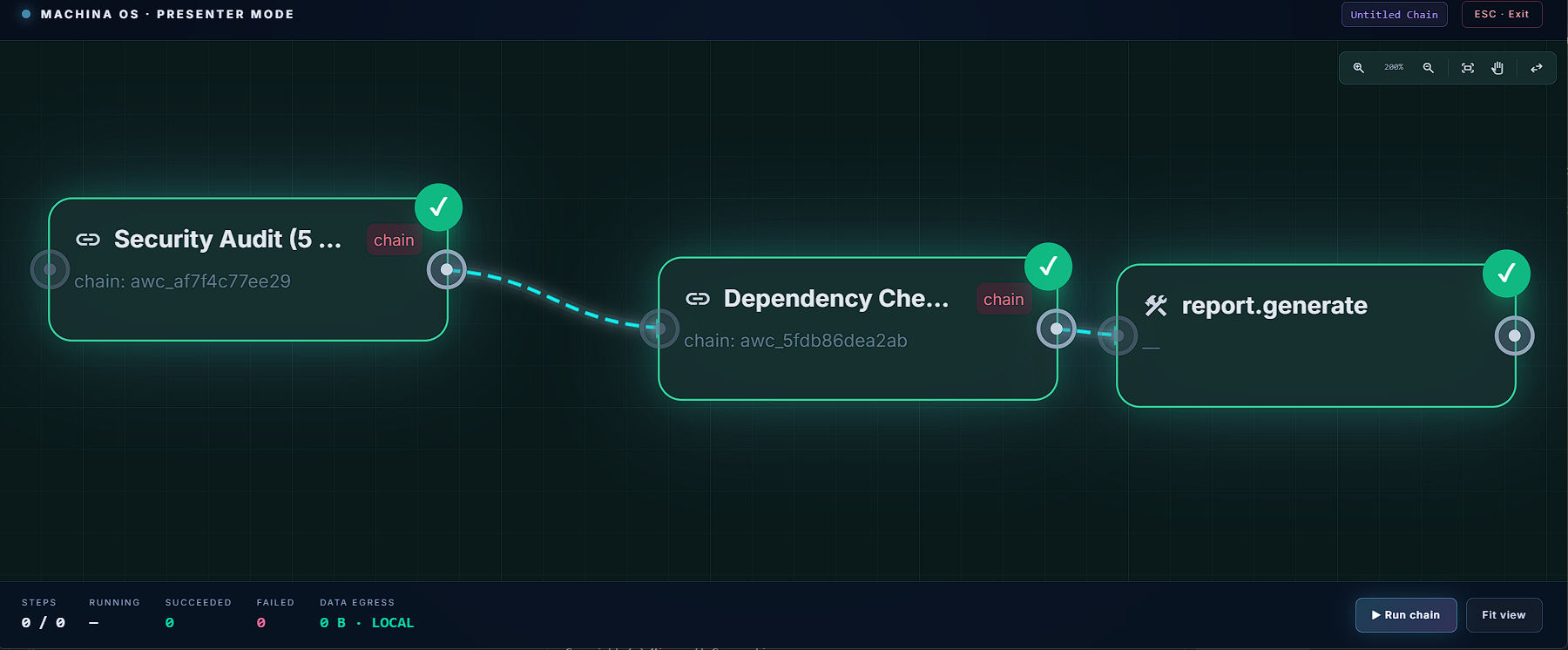
Forget writing endless blocks of YAML. The Studio is an IDE-grade visual arena equipped with a 50-state undo/redo stack, a minimap for large pipelines, snap-to-grid alignment, and copy-paste capabilities that automatically rewire edge connections.
The Studio utilizes a brilliant visual language to denote execution contracts:
Teal Swim Lanes (Parallelism): If steps don't depend on each other, MachinaOS groups them into a teal dashed bounding box. At runtime, every node in that box fires simultaneously via asyncio.gather. It’s true concurrent execution, visually mapped.Amber Diamonds (Conditional Branching): If a step involves a decision (e.g., "If TODOs are found, run a git log; otherwise, skip"), the node gets an amber border. The canvas automatically renders a diamond fork with a green TRUE edge and an amber FALSE edge.
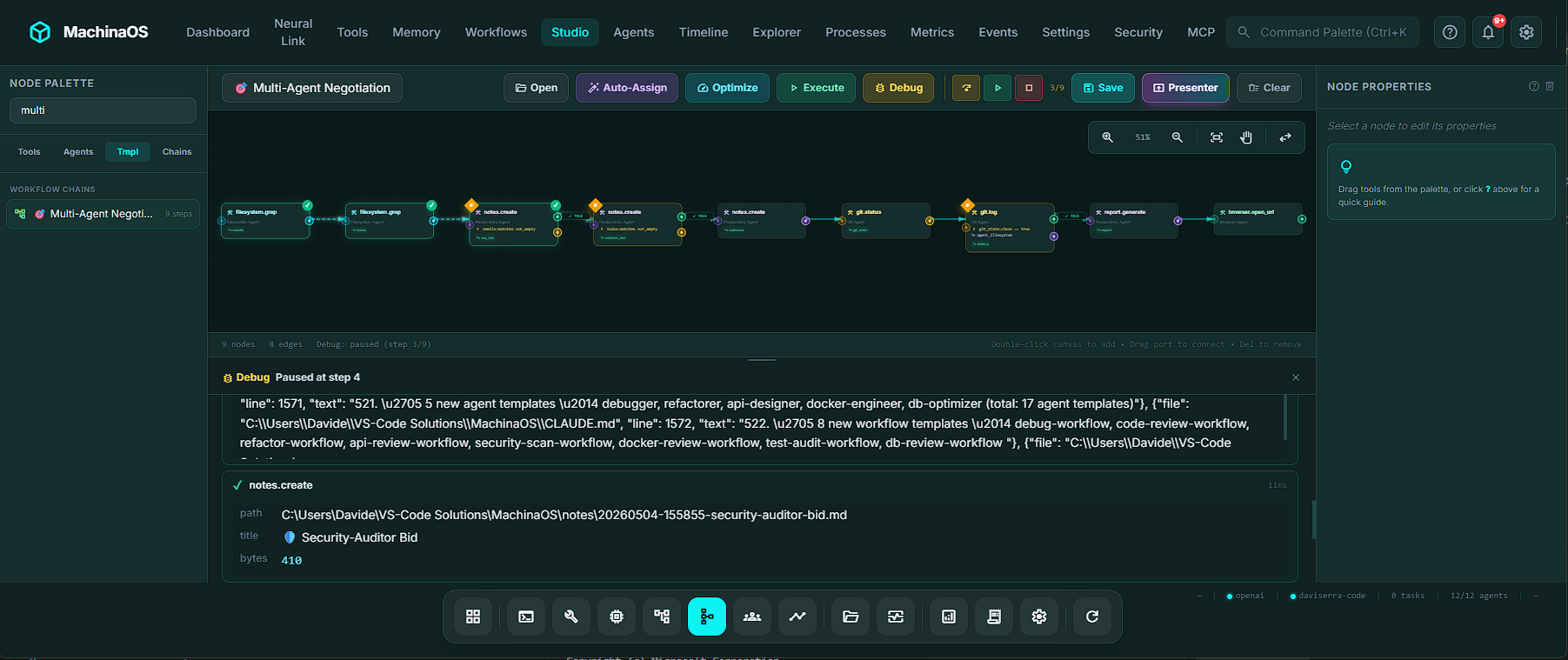
Even better, MachinaOS includes a Pipeline Lane View. This kanban-style board groups steps into horizontal lanes based on the assigned agent. If you disagree with the system's agent assignment, you literally drag the step badge from the filesystem agent's lane into the git agent's lane. The system respects your human judgment, immediately updates the database, and increments the workflow version.
MCP Integration: The Universal Plug
One of the most powerful features of MachinaOS is its deep integration with the Model Context Protocol (MCP), an open standard by Anthropic.
MachinaOS operates in a highly advanced dual role:
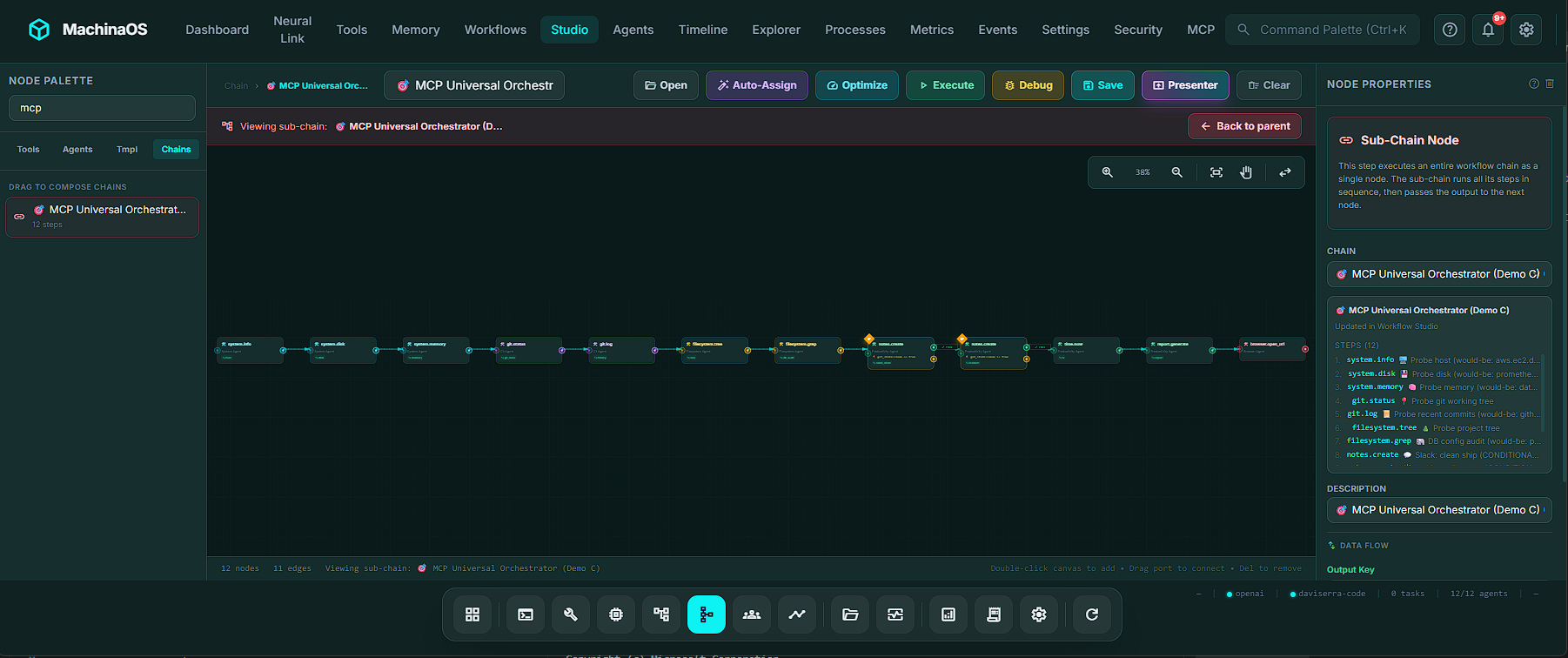
As an MCP Client: MachinaOS can connect to external servers (like Postgres, Slack, GitHub, or AWS). Any tool published by an MCP server becomes a first-class citizen in MachinaOS, appearing alongside native tools with an mcp.<server>.<tool> namespace.As an MCP Provider/Server: MachinaOS exposes its own 52 native tools, 17 system resources, and prompt templates to external clients (like Cursor or Claude Desktop) via Server-Sent Events (SSE).
This integration is completely seamless. You can build a pipeline in the Workflow Studio where native MachinaOS tools analyze code, and an MCP Slack tool conditionally messages your team if vulnerabilities are found. As the developers proudly state: "One chain. Many worlds. Zero glue code".
LLM Choice: Cloud Brains vs. Local Brawn
To power its reasoning layer, MachinaOS does not force you into a walled ecosystem. Through the Settings panel, users can select from 6 standard LLM providers (Ollama, OpenAI, Gemini, Claude, OpenRouter, LM Studio), plus a dedicated integration for GitHub Copilot.
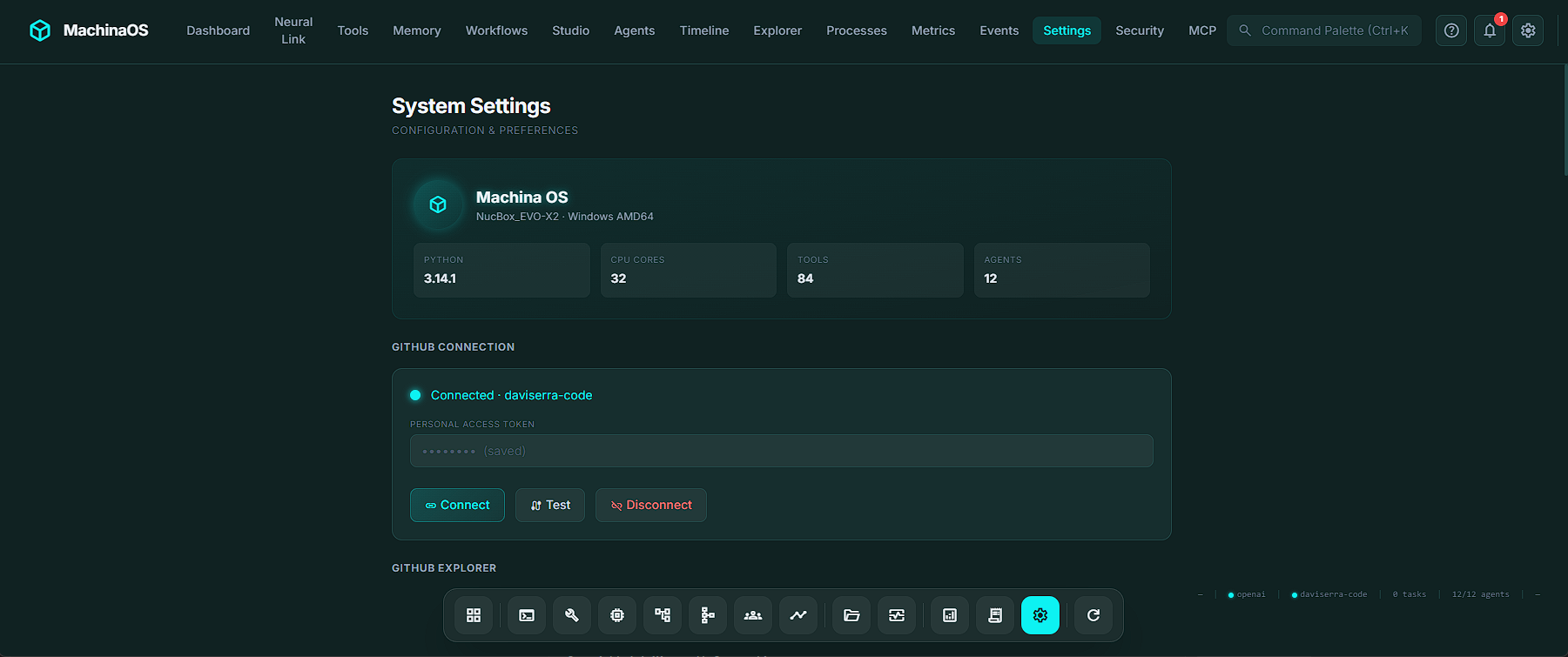
While a public web demo of MachinaOS might default to gpt-4o-mini to handle heavy traffic and ensure speed, the true spirit of the platform is local-first.
By selecting Ollama as your provider, you can run models like llama3 directly on your hardware. The metrics don't lie: when running locally, the data egress from your machine is exactly 0 bytes. For enterprise architects, defense contractors, and security-paranoid developers, the ability to orchestrate complex multi-agent workflows without a single packet of proprietary code leaving the room is the ultimate selling point.
Form Factor: Desktop App vs. Web Browser
MachinaOS can be run as a Dockerized web application (perfect for team servers or cloud deployments). However, its flagship form factor is the Installable Desktop App.
Built on Tauri 2, the native desktop shell is available for Windows, macOS, and Linux. It ships as a ~125 MB installer that requires zero prerequisites because it bundles an embedded Python distribution directly into the app.
The desktop experience is heavily polished. It features a frameless, glassmorphic window chrome, system tray integration (with "close-to-tray" functionality), and an automatic background updater that pulls from GitHub Releases.
As the engineering documents note: MachinaOS is "not a disposable browser assistant". The native desktop shell ensures it feels like a persistent, always-available technical operating layer.
Conclusion
MachinaOS is moving the goalposts for what we should expect from AI tooling. It abandons the "magic black box" chatbot model in favor of an observable, strictly governed runtime. By combining visual orchestration, transparent state machines, seamless MCP integration, and strict local-first security paradigms, machinaos.ai isn't just selling an AI assistant. It is offering a robust, auditable operating layer for the future of developer workflows.
If you are tired of AI systems that claim to do everything but prove nothing, MachinaOS is exactly the breath of fresh, deterministic air you've been waiting for.


💬 Commenti (0)
🔒 Accedi o registrati per commentare gli articoli.
Nessun commento ancora. Sii il primo a commentare!