
Demystifying the Silicon Throne: Is the Mac Studio the Holy Grail for Local AI?
Welcome back to AI-Radar, where we cut through the marketing jargon, bypass the keynote distortion fields, and dig into the raw, unvarnished truth of artificial intelligence hardware.
Today, we are putting Apple’s desktop champion under the microscope. In the rapidly expanding universe of local machine learning, the hardware architecture you choose to run specialized models has become a point of fierce strategic debate. We are talking, of course, about the Apple Mac Studio family. Specifically, the M3 Ultra and M4 Max variants, and the heavily rumored M5 generation.
For software engineers, data scientists, and local AI enthusiasts, the challenge of running massive Large Language Models (LLMs), dense neural networks, and multimodal generative pipelines locally is bounded by a strict hardware ceiling. Traditionally, this domain belonged to NVIDIA. But Apple’s unified memory architecture has shaken the foundations of that monopoly.
So, do we need to demystify the Mac Studio, or is it indeed the Holy Grail for local AI needs? Grab your coffee. We are going to deconstruct the hardware configurations, memory mechanics, processing throughput, software compatibility, and total cost of ownership of the Mac Studio family. And yes, we will use actual data.
Chapter 1: The Obituary of the Mac Pro and the Rise of the Studio
To understand the Mac Studio, we must first attend a brief funeral. In March 2026, Apple officially discontinued the Mac Pro after a nearly twenty-year run.
The Mac Pro was once the ultimate machine for professional creators. However, the bulky tower struggled to justify its existence—and its eye-watering $6,999 starting price—in a market increasingly dominated by Apple's own System-on-a-Chip (SoC) alternatives. Under the Apple Silicon paradigm, the modular PCIe slots of the Mac Pro could not support third-party graphics cards or external memory expansion, making its massive chassis effectively a very expensive, mostly empty box. And let's not forget the infamous $699 rolling wheels, which were widely mocked by the tech community.
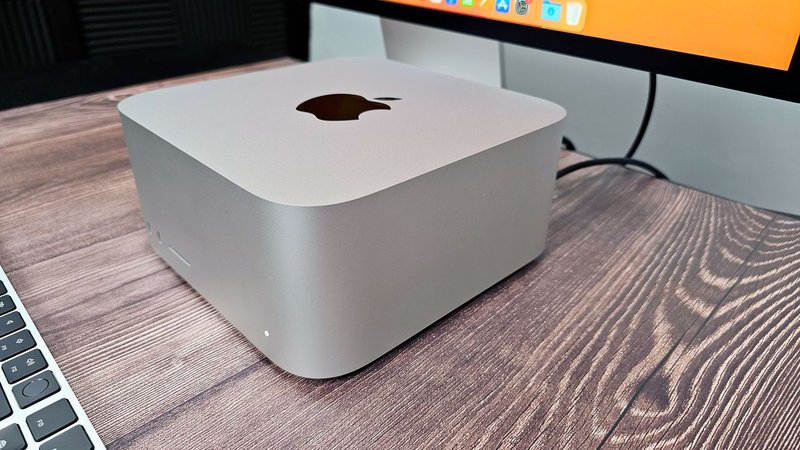
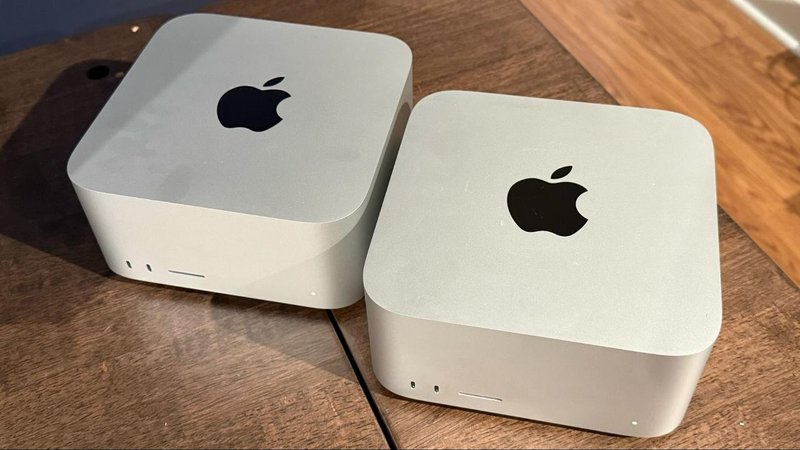
With the Mac Pro six feet under, the compact Mac Studio—measuring a mere 3.7 inches tall and 7.7 inches wide—has been crowned Apple's flagship professional desktop computer.
This $1,999 to $3,999 "squircle" aluminum enclosure is now the default workstation for high-end creative and AI development workflows. But a small box replacing a giant tower begs the question: how does it handle the brute-force mathematics required for local artificial intelligence?
Chapter 2: The Unified Memory Miracle (And Why VRAM is a Trap)
To evaluate the Mac Studio's viability for machine learning, we have to understand the physical limits of neural network execution.
On a traditional Windows or Linux PC, the CPU uses system RAM (DDR5), while the GPU relies on its own dedicated Video RAM (VRAM). When you load an AI model, it must fit entirely within that VRAM to run quickly. NVIDIA’s flagship consumer card, the RTX 4090, possesses 24GB of VRAM. The newer RTX 5090 tops out at 32GB.
If you want to run a massive 70-billion parameter model (like Llama 3.3 70B), the 4-bit quantized version requires about 42.5 GB of memory. On a 24GB RTX 4090, the model overflows the VRAM. The GPU is forced to "offload" layers to the slower system RAM via the PCIe bus, and the GPU must constantly transfer data back and forth. The moment offloading occurs, token generation speed plummets from a blistering 120+ tokens per second to an agonizing 2 to 5 tokens per second. You might as well be carving tokens into stone tablets.
Enter Apple's Unified Memory Architecture (UMA).
Apple Silicon eliminates the CPU/GPU memory split. The CPU, GPU, and Neural Engine all share a single pool of high-bandwidth memory integrated directly onto the processor packaging. A Mac Studio configured with 128GB or 256GB of unified memory can allocate almost the entire pool directly to the GPU.
This means a single Mac Studio can hold models that would otherwise demand a rack of multiple expensive NVIDIA GPUs. The Mac Studio completely bypasses the offloading penalty that cripples consumer PCs when dealing with massive LLMs.
The Architecture Comparison
| Criterion | Apple Mac Studio (M3 Ultra / M4 Max) | Custom PC (NVIDIA RTX 4090 / 5090) |
|---|---|---|
| Architecture | Integrated SoC (Unified Memory) | CPU + Dedicated GPU with separate VRAM |
| Max Memory Capacity | Up to 128GB (M4 Max) / 256GB (M3 Ultra) | 24GB (RTX 4090) / 32GB (RTX 5090) |
| Memory Bottleneck | Bandwidth limited (Up to 819 GB/s) | Capacity limited (Offloading cripples speed) |
| Data Transfers | Zero-copy (CPU and GPU share memory) | Heavy PCIe transfers if VRAM is exceeded |
In the battle of capacity, the Mac Studio is the undisputed heavyweight champion. But capacity is only half the battle.
Chapter 3: The Bandwidth Bottleneck and the "Neural Engine" Scam
Let's address the elephant in the room: Apple's marketing. Every Apple keynote brags about a "38 TOPS Neural Engine" capable of mind-bending AI acceleration.
Here is the uncomfortable truth for local AI practitioners: no major open-source LLM tool uses the Neural Engine.
Ollama runs on the GPU. Llama.cpp runs on the GPU. ComfyUI, Draw Things, MLX, and PyTorch all run on the GPU via Apple's Metal API. The Neural Engine is heavily utilized by Core ML for background macOS tasks, Apple Intelligence, and basic image processing, but for massive transformer-based LLMs or diffusion models, it is essentially dead weight.
The chip specification that actually matters for AI on a Mac Studio is Memory Bandwidth.
Running a local LLM is divided into two distinct processing phases:
Prompt Processing (The Prefill Phase): This phase is compute-bound. When you submit a massive prompt (like a 30-page codebase), the system parallelizes the math. Speed is dictated by raw floating-point operations per second (FLOPS). Here, NVIDIA dominates. The M4 Max delivers roughly 18.4 FP16 TFLOPS. A single RTX 4090 delivers 82.6 FP16 TFLOPS (scaling to 165 TFLOPS with sparse Tensor Cores), and the RTX 5090 exceeds 200 FP16 TFLOPS. On Mac, processing a massive codebase context can take over a minute, breaking the interactive flow for developers.Token Generation (The Autoregressive Decoding Phase): Once the prompt is ingested, token generation is strictly memory-bandwidth bound. For every single token generated, the GPU must read the entire model's parameters from memory. The hardware that reads weights the fastest generates tokens the fastest.
This is where the true showdown happens. The RTX 5090 boasts an astonishing 1,792 GB/s of memory bandwidth. The M3 Ultra peaks at 819 GB/s, and the M4 Max tops out at 546 GB/s.
Because Apple’s bandwidth is lower than NVIDIA’s dedicated GDDR7 VRAM, Apple Silicon is slower per token than equivalent NVIDIA hardware on models that fit within NVIDIA's VRAM limits.
Chapter 4: The Great AI Benchmarking Showdown
To separate fact from fiction, let's look at rigorous empirical benchmarks. We compared the Mac Studio configurations against a custom PC built with an NVIDIA RTX 4090.
Test 1: Small & Mid-Sized Models (7B to 34B Parameters)
If you run an 8-billion parameter model for chat or a 14-billion parameter model for coding, the model easily fits within the 24GB VRAM of an RTX 4090.
Note: Models tested at 4-bit (Q4_K_M) quantization.
| Model | Mac Studio M4 Max (128GB) | Mac Studio M3 Ultra (256GB) | Custom PC (RTX 4090 24GB) | Winner |
|---|---|---|---|---|
| Llama 3.2 8B | 76 tok/s | 94 tok/s | 142 tok/s | PC (by a landslide) |
| Qwen 2.5 14B | 45 tok/s | 55 tok/s | 112 tok/s | PC (~2x faster) |
| Llama 3.1 34B | 22 tok/s | 26 tok/s | 38 tok/s | PC |
Verdict: When a model fits entirely in VRAM, the NVIDIA card's massive bandwidth and compute supremacy crush the Mac Studio. For 7B to 34B models, the PC is up to twice as fast.
Test 2: The 70B Heavyweights & Frontier Models
This is where the PC hits a brick wall. A 70B model requires roughly 42.5 GB of memory. The RTX 4090 simply cannot hold it.
| Model | Mac Studio M4 Max (128GB) | Mac Studio M3 Ultra (256GB) | Custom PC (RTX 4090 24GB) |
|---|---|---|---|
| Llama 3.3 70B | 12.5 tok/s | 13.7 tok/s | 1.8 tok/s (Crippled by offloading) |
| Mixtral 8x22B | 18 tok/s | 20 tok/s | OOM (Out of Memory / CPU Fallback) |
| DeepSeek-R1 671B | OOM | 17 tok/s | OOM (Cannot Load) |
Verdict: The Mac Studio unified memory architecture proves its worth. The M3 Ultra effortlessly runs the 70B model at an interactive 13.7 tokens per second. Remarkably, for ultra-large Mixture-of-Experts (MoE) frontier models like the 671-billion parameter DeepSeek-R1, the M3 Ultra can run the model locally at a highly usable 17 tokens per second. To achieve this on a PC, you would need a multi-GPU server farm costing tens of thousands of dollars and pulling enough power to dim your neighborhood's lights.
Test 3: Diffusion and Image Generation
Image generation is highly compute-bound (reliant on FLOPS and Tensor Cores), which plays directly to NVIDIA's strengths.
| Generative Image Pipeline | Mac Studio M4 Max | Mac Studio M3 Ultra | Custom PC (RTX 4090 24GB) |
|---|---|---|---|
| Stable Diffusion XL (SDXL) | ~13.0 seconds | 9.0 seconds | 4.2 seconds |
| Flux.1-dev Q8 | ~38.0 seconds | 29.0 seconds | 11.0 seconds |
| Wan 2.2 Video Gen (5s) | N/A | 11.0 minutes | 2.67 minutes |
Verdict: NVIDIA's dedicated Tensor Cores and optimized CUDA library support deliver a massive advantage, generating images 3x to 5x faster than Apple's top-tier silicon. If image or video generation is your primary gig, buy a PC. Period.
Chapter 5: The Software Reality (CUDA vs. MLX)
Hardware is useless without software. And in the AI landscape, NVIDIA's CUDA is the undisputed king.
Standard AI frameworks like PyTorch, JAX, vLLM, and TensorRT-LLM are developed CUDA-first. Major optimizations for LLM execution—like FlashAttention and bitsandbytes (crucial for 4-bit and 8-bit quantization)—are natively built for NVIDIA.
Apple's answer is Metal Performance Shaders (MPS) and the relatively new MLX framework. Apple has done an incredible job rapidly maturing MLX. It natively understands unified memory, avoiding unnecessary data copying. In fact, MLX delivers 10-25% faster inference on Apple Silicon than cross-platform tools like llama.cpp.
However, the Mac Studio has massive blind spots in the software ecosystem:
Fine-Tuning is Painful: While basic parameter-efficient fine-tuning (LoRA/QLoRA) is possible via the mlx-lm package, full-scale training on Apple hardware is mathematically and architecturally impractical. LoRA fine-tuning for SDXL takes 3 hours and 40 minutes on an M3 Ultra, compared to just 38 minutes on an RTX 4090.Docker GPU Passthrough Doesn't Exist: Running containerized AI applications inside Docker on a Mac cannot access Metal GPU acceleration. If you are building containerized pipelines for production, you have to run models bare-metal on the host macOS.
Chapter 6: The "Bodega" Breakthrough & Continuous Batching
Here is a fascinating secret about your Mac Studio: if you are using popular apps like LM Studio or Ollama for single-user chat, your 40-core or 76-core GPU is sitting idle 80% of the time.
Because memory bandwidth is the bottleneck, the compute cores spend most of their time twiddling their digital thumbs, waiting for weights to arrive from memory.
This is where the local AI software space is evolving rapidly. Enter Continuous Batching. Instead of loading the model weights to serve one sequence, advanced inference engines load the weights once and serve multiple user requests simultaneously.
A highly optimized local inference engine for Apple Silicon—such as the open-source "Bodega" engine—solves this underutilization. On an M4 Max, serving a single request for a 0.6B model yields ~400 tokens/sec. But if you hit the same machine with 5 concurrent requests, continuous batching pumps the total throughput to a staggering 1,111 tokens/sec. Time-to-first-token (TTFT) drops to an imperceptible 3 milliseconds.
Furthermore, caching prompts (Prefix Caching) means an agent reading a 2000-token codebase doesn't have to re-process the code every time you ask a question. Time-to-first-token on complex coding tasks drops dramatically.
For developers building multi-agent systems—where Agent A reviews code while Agent B writes tests—the Mac Studio can handle all of it concurrently without queuing, thanks to its massive unified memory and new software catching up to the hardware's potential.
Chapter 7: Thermals, Acoustics, and the Total Cost of Ownership
If you are a solo developer or running a small agency, performance metrics aren't the only numbers that matter. Let's talk about living with these machines.
A dual-GPU RTX 3090 setup or a custom RTX 4090 PC is a space heater that sounds like a wind turbine. An RTX 4090 rig pulls over 400 watts during inference and pushes 500+ watts during image generation. Under sustained loads, it will raise the temperature of a closed office by 4°C and emit 51 dB of fan noise.
The Mac Studio is practically a ghost. The M3 Ultra draws just 78 watts during heavy inference, remaining virtually silent (23 dB) and cool to the touch.
5-Year Lifecycle Costing
If we amortize the costs over five years (assuming 8 hours of daily use at $0.18/kWh):
| Metric | Mac Studio M3 Ultra (96GB) | Custom PC (RTX 4090) |
|---|---|---|
| Initial Purchase Cost | $3,199 (Refurbished) | $2,903 |
| Active Load Power | 78 Watts | 412 Watts |
| 5-Year Electricity Cost | $570 | $1,690 |
| Maintenance / Upgrades | $0 (Soldered, non-upgradeable) | $700 (PSU / GPU replacements) |
| Total Cost of Ownership (TCO) | $4,068 | $5,293 |
While the Mac Studio feels like a premium purchase up front, its massive energy efficiency means it ultimately costs less to operate over a five-year lifecycle than a comparable high-end PC workstation. At 50,000 requests a day, the Mac Studio amortizes to ~$139/month, undercutting cloud APIs like OpenAI by thousands of dollars.
Chapter 8: The RAM Crisis and the M5 Horizon
If you are reaching for your wallet right now, you need to understand the current market dynamics.
In early 2026, skyrocketing DRAM manufacturing costs—driven by massive hyperscaler data centers buying up memory for cloud AI—forced Apple to adjust the Mac Studio lineup. In March 2026, Apple quietly removed the monstrous 512GB unified memory configuration for the M3 Ultra Mac Studio and raised the price of the 256GB option by $400.
If you order a high-capacity Mac Studio today, you will face shipping delays stretching from six to ten weeks.
This supply chain bottleneck has also impacted Apple's roadmap. The highly anticipated Mac Studio refresh featuring the M5 Max and M5 Ultra chips—initially expected at WWDC in June 2026—has been delayed to October 2026.
Why didn't we see an M4 Ultra? Architectural records show that Apple skipped the M4 Ultra because the M4 Max die lacked the required "UltraFusion" die-to-die interconnect. The upcoming M5 Ultra returns to a dual-die layout, bringing a projected 36 CPU cores, 80 GPU cores, and memory bandwidth that will easily rival or exceed the M3 Ultra's 819 GB/s.
If you can wait until October 2026, the M5 generation will likely bring baseline SSD upgrades (starting at 1TB or 2TB) and Thunderbolt 5 support across the board. But be warned: Apple may offset the rising cost of RAM by raising the base price of the Mac Studio, currently sitting at $1,999.
Conclusion: Demystifying the Grail
So, is the Mac Studio the Holy Grail of local AI?
The answer is: It depends entirely on your specific workload. The Mac Studio is not a universal skeleton key for AI, but a highly specialized, surgically precise instrument.
You should buy the Mac Studio if:
Your primary objective is running massive, uncensored 70B+ or frontier MoE models (like DeepSeek-R1) entirely locally.Your daily workflow revolves around agentic coding, private Retrieval-Augmented Generation (RAG), and local code assistants.Data privacy and sovereignty are non-negotiable for your clients.You value silence, low power draw, and a setup that doesn't heat your office to sauna temperatures.
You should build an NVIDIA PC if:
You are heavily involved in image and video generation (Stable Diffusion, Flux, Wan 2.2), where CUDA's compute dominance generates assets 3x to 5x faster.You need to fine-tune models from scratch or run complex parameter optimizations (LoRA/QLoRA) using standard, battle-tested CUDA repositories.You use containerized Docker deployments that require native GPU passthrough.You primarily run smaller 8B to 14B models and want the absolute maximum tokens-per-second throughput possible.
The Apple Mac Studio Pro family forces us to re-evaluate the metric of AI power. It proves that raw FLOPS aren't everything when you have an architectural bypass—Unified Memory—that completely eliminates the VRAM ceiling.
For the vast majority of developers and researchers looking to break free from the cloud API tollbooth, the Mac Studio is indeed as close to a Holy Grail as consumer hardware gets today. It just happens to be a Grail that is heavily back-ordered, refuses to run Docker with GPU support, and might cost you an arm and a leg in RAM upgrades.
Choose your bottleneck. Then choose your machine.


💬 Comments (0)
🔒 Log in or register to comment on articles.
No comments yet. Be the first to comment!