L'integrazione nativa dell'API di Ollama offre vantaggi in termini di semplicità di configurazione e gestione dei modelli rispetto all'utilizzo esclusivo dell'API OpenAI. Ad esempio, Open WebUI rileva automaticamente il server sulla porta 11434 e consente di scaricare, espellere e verificare lo stato dei modelli direttamente dall'interfaccia web.
Lemonade Server e API Ollama
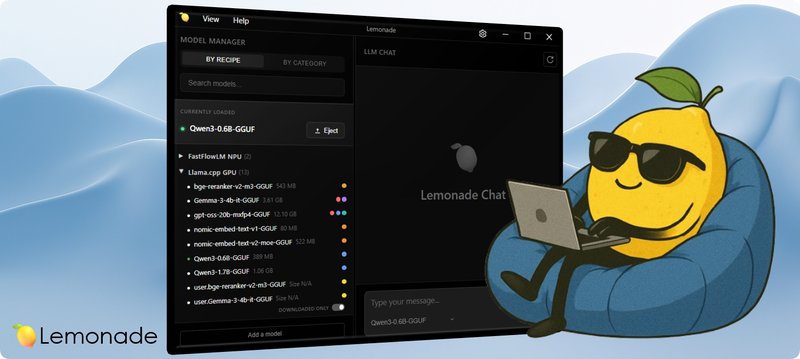
Lemonade Server ha aggiunto il supporto all'API di Ollama, collegando le funzioni agli endpoint /api. Questo permette di avviare Lemonade sulla stessa porta di Ollama (ad esempio, 11434) e di utilizzare binari llamacpp personalizzati, specificando il percorso tramite variabili d'ambiente come LEMONADE_LLAMACPP_VULKAN_BIN o LEMONADE_LLAMACPP_ROCM_BIN. È anche possibile utilizzare modelli GGUF provenienti da llamacpp -hf o LM Studio, indicando la directory tramite l'opzione --extra-models-dir.
Integrazione con Open WebUI
Dopo aver configurato Lemonade Server, Open WebUI dovrebbe rilevare automaticamente Lemonade, popolare la lista dei modelli con i modelli GGUF e/o NPU disponibili e fornire accesso a funzionalità altrimenti esclusive di Ollama. Questo approccio offre una maggiore flessibilità nella scelta e nell'utilizzo dei modelli, consentendo di sfruttare le funzionalità dell'API di Ollama senza dipendere direttamente da quest'ultimo.
Per chi valuta deployment on-premise, esistono trade-off da considerare. AI-RADAR offre framework analitici su /llm-onpremise per valutare questi aspetti.




💬 Commenti (0)
🔒 Accedi o registrati per commentare gli articoli.
Nessun commento ancora. Sii il primo a commentare!