New Desktop Apps: Google Brings Search and AI to Windows and macOS
Google has recently expanded the ways users can access its search and artificial intelligence services by introducing native applications for popular desktop operating systems. Traditionally, interaction with products like Google Search and Gemini primarily occurs through web browsers. This move marks a step towards greater operating system-level integration, offering users new options to interact with the tech giant's AI capabilities.
The release of these new user interfaces aims to simplify access and integrate AI functionalities directly into users' daily work environments, on both Windows and macOS. This strategy reflects a broader trend in the technology sector, where artificial intelligence is shifting from a backend role to a more direct and pervasive user interface.
The Google App for Windows: Integration and Features
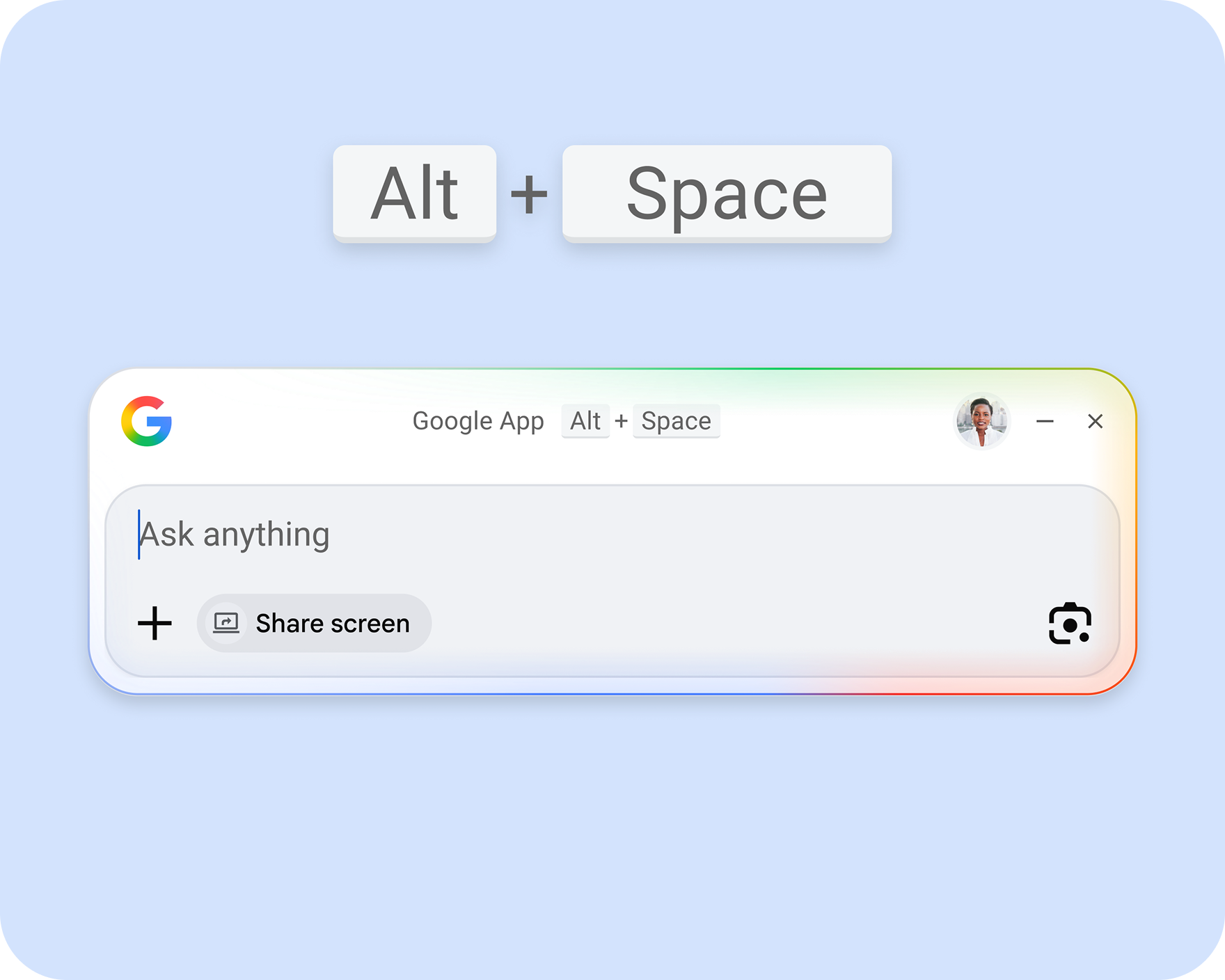
For Windows users, Google has officially made a desktop search application available, following a beta testing period that began last September. This application, named "Google app for desktop," offers a range of advanced search functionalities directly from the PC.
The app allows users to perform searches both on the web and, with authorization, on local files and applications. The compact user interface can be invoked at any time using the Alt + Space key combination, appearing as a floating window above other applications. Web search results include "AI Overviews" and "AI Mode," providing AI-generated answers, consistent with the browser experience. Notably, early beta versions of the app had presented some update difficulties, requiring users to uninstall and reinstall new builds; a problem that, according to Google, has been resolved in the official release.
Gemini on macOS: The Native AI Assistant
On the Apple front, Google has focused its efforts on developing a native application for Gemini, its Large Language Model. This app is now widely available for macOS and offers the same functionalities and capabilities that users are already familiar with from Gemini's web interface.
The introduction of a native Gemini application for Mac aims to provide a smoother and more integrated experience, leveraging the specific features of the Apple operating system. This approach allows users to access Google's AI assistant without needing to open a browser, facilitating Gemini's interaction and integration into daily workflows.
Context and Implications for AI Deployments
While these new applications improve accessibility to Google's AI services for end-users, their operation relies on interaction with centralized cloud infrastructures. For organizations evaluating AI solutions, this deployment model entails significant considerations. Accessing LLMs and AI services via desktop clients that connect to the cloud raises questions regarding data sovereignty, regulatory compliance, and the long-term Total Cost of Ownership (TCO).
Enterprises, particularly those with stringent security and privacy requirements, often explore self-hosted alternatives or on-premise deployments for their AI workloads. These solutions offer direct control over data and infrastructure but require initial investments in hardware, such as GPUs with adequate VRAM, and expertise for managing local stacks. AI-RADAR, for instance, provides analytical frameworks to evaluate the trade-offs between adopting cloud services and implementing on-premise solutions, considering factors like latency, throughput, and the ability to customize models through fine-tuning. The choice between a cloud-based approach and an on-premise one depends on a careful analysis of operational constraints, costs, and specific data control and security needs.




💬 Comments (0)
🔒 Log in or register to comment on articles.
No comments yet. Be the first to comment!